If you're looking for a modern calligraphy script that feels both casual and elegant, Baby Boho Font might be exactly what you need. This script font comes with a regular style and includes a set of decorative swashes that make your text stand out without looking forced. Whether you're designing for print-on-demand products, social media graphics, or wedding stationery, this typeface offers a hand-lettered charm that feels approachable and friendly.
What makes Baby Boho Font special?
Unlike many script fonts that are either too formal or too messy, Baby Boho Font strikes a comfortable balance. The letterforms flow naturally with a slight boho vibe – not too tight, not too loose. The swashes are an added bonus: they give you options to extend letters or add flourishes at the start or end of words. This means you can create custom logotypes, greeting cards, or quote designs that feel unique.
Another standout feature is the PUA Unicode encoding. You don't need any special software to access the extra characters. On a Mac, you can open Font Book; on Windows, use the Character Map. Copy and paste swashes, ligatures, or alternate glyphs directly into your design app – it's that simple.
Where can I use this script font?
Baby Boho Font is versatile enough for a wide range of projects. Here are some common uses people find helpful:
- Logos and branding – especially for boutiques, handmade shops, or lifestyle blogs.
- Product packaging – think labels for candles, skincare products, or small-batch foods.
- Wedding invitations and signage – the swashes add a romantic touch.
- Book covers and posters – works well for titles and short headlines.
- Quotes and social media graphics – easy to read while still feeling artistic.
Because it's a clean script, it also works for signatures and watermarks if you're a photographer or artist.
How do I access the extra characters and swashes?
As mentioned, the PUA encoding makes it easy. Here's a quick how-to for both operating systems:
- Windows: Open Character Map, select Baby Boho Font, then scroll through the character set. Double-click any character to copy it, then paste into your text editor or design software (like Adobe Illustrator, Canva, or Affinity).
- Mac: Open Font Book, select the font, and use the “Repertoire” view to see all glyphs. You can copy them directly into your document.
This method works for any design app that accepts text input, so you don't need to be a tech wizard.
Is Baby Boho Font beginner-friendly?
Absolutely. If you're new to using script fonts with swashes, this one is forgiving. The baseline is consistent, and the swashes are designed to attach naturally to the letters. You can start by typing a word, then copy a swash from the character map and insert it before or after the word. Over time, you'll get a feel for which flourishes work best together.
For print-on-demand sellers, this font can help differentiate your products on platforms like Etsy or Redbubble. Try it on t-shirt quotes, mugs, or tote bags – the casual style appeals to the boho-loving audience.
What other script fonts pair well with it?
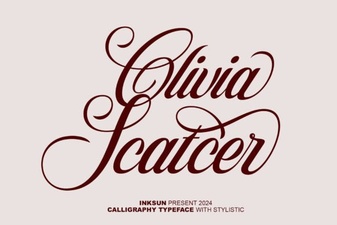
If you're building a font library, consider adding a few other scripts that share a similar hand-drawn feel. For instance, the Santa Catalina font has a playful energy that complements Baby Boho's relaxed style. The Outside font offers a slightly more rugged look, great for contrast in branding. For something sweeter, try the I Heart You font – it pairs beautifully with boho wedding themes. If you need a quirky alternative, the Olivia Scatcer font adds personality. And for kid-friendly projects, the Child font keeps things light and playful.
Final tip before you download
When using Baby Boho Font in a design, avoid overcrowding the swashes. Less is often more – a single flourish on the first letter or a subtle tail on the last letter is usually enough to create a professional look. Test the font on a few mockups before committing to a full print run. Also, check the licensing on Creative Fabrica to ensure your intended use is covered (most personal and commercial projects are fine, but always verify).
Ready to try it? Grab Baby Boho Font and start experimenting with swashes in your next project. Pair it with a clean sans-serif body font for contrast, and you'll have a balanced design in minutes.
Try It Free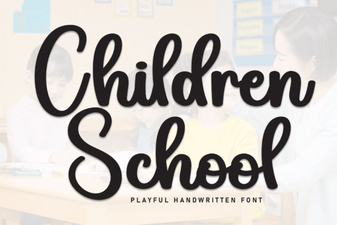 Choosing the Perfect School Font for Kids
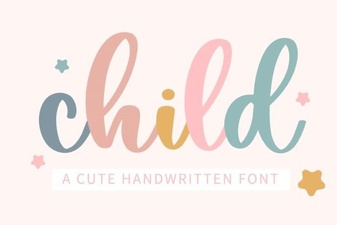 Designing with Friendly, Readable Child Fonts
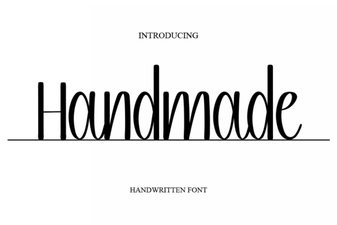 Craft Beautiful Projects with Handmade Fonts
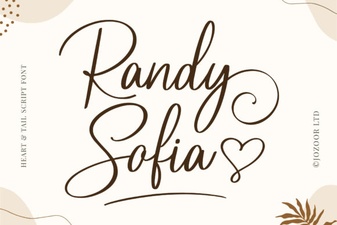 Randy Sofia Font: Creative Web Design & Free Downloads
 Pastel Fonts: Creative Designs & Project Inspiration
 Olivia Font: Creative Design & Display Projects